
OPEN DAILY
OPEN
HONEST
TRUST
LET'S CHAT



Best for Google ad-serving workflows: Google Studio. Best for paid-social creative operations: Smartly. Best for creative production at scale: Celtra. Best for independent ad serving and dynamic personalisation: Flashtalking. This 2026 guide compares the best dynamic creative optimization tools by workflow, then explains where a modular programmatic stack belongs in the decision.
TL;DR
For independent agencies and in-house teams, Gocake belongs in the wider stack discussion: media buying and reporting, rich media and digital out-of-home creative, data clean rooms, and direct publisher supply. That is a different evaluation from choosing a specialist dynamic creative optimisation tool.
Dynamic creative optimisation, or DCO, changes ad content using data and rules, with performance feedback informing which combinations to serve. Creative automation handles a related but different job: producing versions efficiently. An ad server delivers ads and records delivery activity.
Those functions overlap, but they are not interchangeable. A tool that generates hundreds of versions does not automatically establish which version caused a better business outcome.
For your 2026 shortlist, separate production, delivery and measurement before comparing suppliers. Otherwise, you risk buying another production interface when your actual problem is feed reliability, ad-serving control or campaign reporting.
Choose the workflow first, then the tool. A visually impressive demo is not evidence that a platform fits your data, approval process or media environment.
Use these criteria before reading the shortlist. Each criterion describes something your team can inspect rather than a vendor slogan.
A strong fit satisfies your essential criteria without forcing your team into a workflow it cannot maintain. The most capable platform on paper is still the wrong purchase when routine changes require skills you do not have.
These are workflow-based shortlist positions, not a performance league table. The order matches the detailed sections below; it does not imply measured superiority.
Google Studio
Smartly
Celtra
Flashtalking
Gocake
Google Studio supports rich media and dynamic creative production within Google's advertising ecosystem. Its dynamic workflows connect creative elements with data feeds and serving rules. Treat the surrounding ad-serving configuration as part of the purchase decision, not an implementation detail to resolve later.
For an agency already operating campaigns through Google's ad-serving environment, Studio is a relevant starting point. Your technical review should establish how feed rows become eligible creative combinations and how those combinations appear in reporting.
Google Studio pros:
Google Studio cons:
Best for: Teams whose existing delivery architecture makes Google's creative and ad-serving workflow a practical fit.
In your 2026 demonstration, ask the supplier to change a feed value, apply an eligibility rule and show the resulting creative record. That reveals more about day-to-day usability than a gallery of finished ads.
Verdict: Hold until the feed-to-serving workflow is demonstrated with your campaign requirements.
Smartly combines creative production with advertising campaign operations, with a substantial focus on paid social. That makes it relevant when your bottleneck is maintaining creative variations alongside campaigns across social advertising environments.
The important distinction is between automating your team's workflow and controlling every delivery decision. Social platforms retain their own advertising systems, so your evaluation must identify which decisions happen in Smartly and which happen inside the destination platform.
Smartly pros:
Smartly cons:
Best for: Agencies and brands whose main creative workload sits in paid social and needs closer coordination with campaign management.
Bring a real approval problem to the demo: a change that must reach several campaigns without publishing an unapproved claim. Ask the supplier to show the approval boundary and the campaign update, not just asset generation.
Verdict: Hold until the supported channel workflow matches where your team actually spends time.
Celtra focuses on creative automation and digital advertising production. Its template-based approach is relevant when a team needs to adapt approved creative across formats, markets or messages without rebuilding each version manually.
That production role deserves its own place on the shortlist. It should not be confused with evidence that a serving algorithm selects the right message for each impression or improves your campaign's business result.
Celtra pros:
Celtra cons:
Best for: Creative operations teams whose immediate problem is controlled asset production rather than media buying or independent ad serving.
For a 2026 assessment, give Celtra a campaign brief with different layouts and a shared approval rule. Examine whether a master change preserves the intended hierarchy across outputs. A version that is technically valid but visually wrong still creates review work.
Verdict: Hold until a representative template proves the production workflow fits your approval process.
Flashtalking provides independent ad-serving and creative personalisation technology. It belongs on the shortlist when your requirements include dynamic creative alongside a deliberate decision about who serves the ads and records their delivery.
This is an architecture choice as much as a creative choice. Your team must understand how creative rules, campaign trafficking and reporting connect across the media-buying systems you use.
Flashtalking pros:
Flashtalking cons:
Best for: Advertisers and agencies evaluating independent ad serving alongside dynamic creative personalisation.
Ask for a complete explanation of how a creative version travels from an approved rule to a delivered impression and then into a report. Establish which identifiers connect those stages and who resolves discrepancies between systems.
Verdict: Hold until your team accepts the implementation and reporting responsibilities.
Gocake is a modular programmatic advertising platform for brands and independent agencies. Its stated scope includes media buying and reporting, rich media and digital out-of-home creative, data clean rooms, and direct publisher supply. Evaluate that scope as a full stack, not as a standalone buying interface.
Gocake suits independent agencies and in-house brands evaluating a modular programmatic stack. That is a supported positioning statement, not a claim that it outperforms the specialist DCO tools above.
Gocake pros:
Gocake cons:
Best for: Independent agencies building their advertising stack and brands bringing programmatic in-house.
For your enquiry, specify whether you need the full operating model or a particular module. Include your buying environment, reporting requirements, creative formats and publisher-supply needs so the discussion stays technical.
Verdict: Hold until the module boundaries and your specific DCO requirements are agreed.
The shortlist uses workflow fit: delivery environment, decisioning, feeds, governance, measurement and ownership. Google Studio occupies the Google ad-serving slot; Smartly the paid-social operations slot; Celtra the production slot; and Flashtalking the independent-serving slot.
The modular stack option is assessed separately because it answers a broader buying question. These positions do not represent hands-on benchmark results, measured conversion improvements or a universal ranking of product quality.
A useful DCO evaluation follows a sequence: Data feed, Creative rules, Approval, Ad delivery, then Reporting. Your demonstration should show how information moves through every stage, including what happens when something fails.
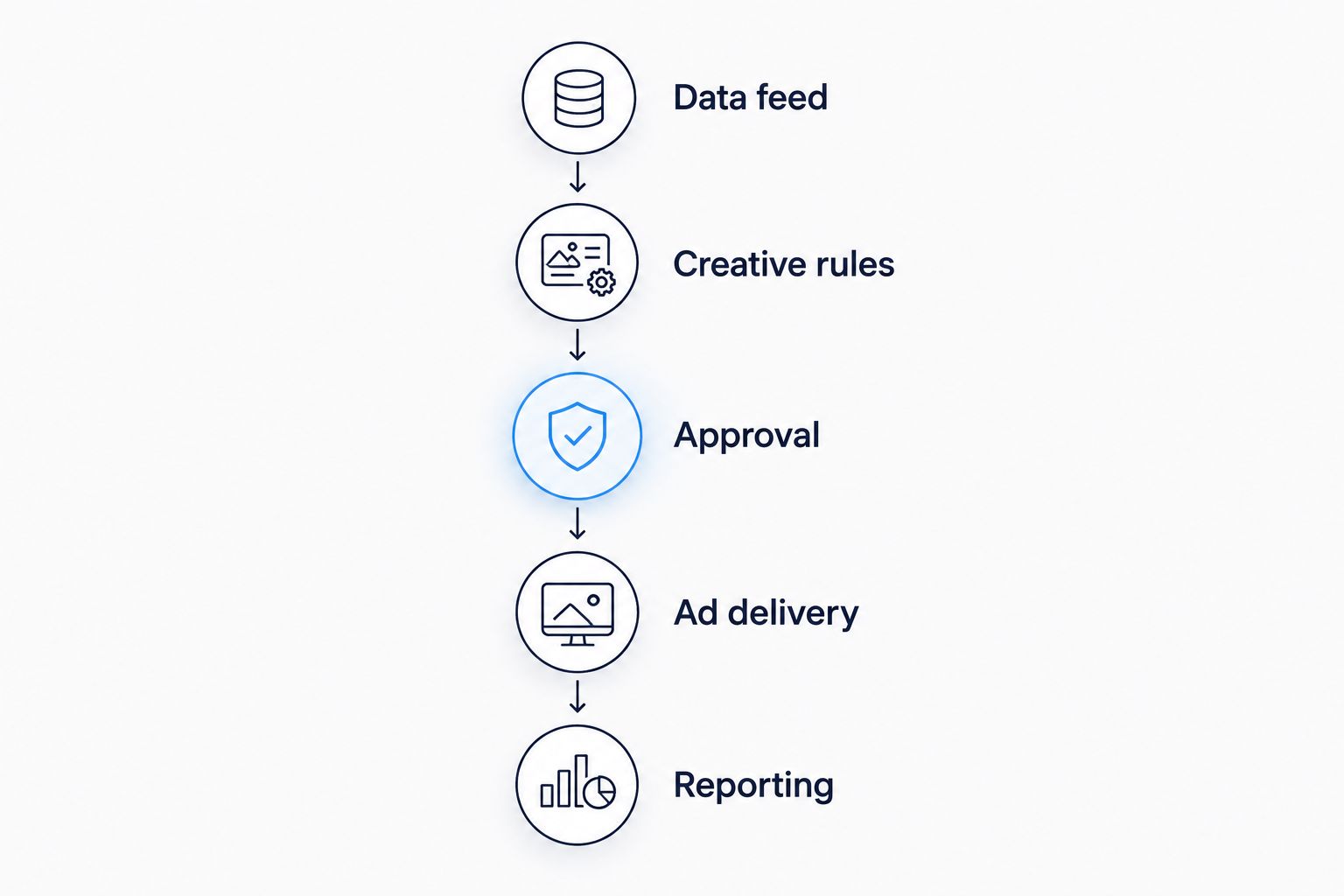
Inspect the complete operating chain before choosing a creative tool.
Use a small, controlled demonstration rather than a large asset gallery. Specify 3 creative components: headline, image and call to action. Request 2 approved variants, then change 1 variable at a time. These are test instructions, not performance benchmarks.
For a 2026 procurement decision, document responsibility at each stage. Your contract discussion should cover data access, exports, integrations and the practical steps required to stop using the system.
Start with the shortlist entry that matches your existing operating environment. Google Studio is the relevant starting point for Google ad-serving workflows; Smartly for paid-social operations; Celtra for production automation; and Flashtalking for independent serving with personalisation.
If you are still designing your programmatic stack in 2026, settle the buying, reporting, creative and supply architecture before selecting a specialist DCO layer. That avoids asking a creative tool to solve a wider infrastructure problem.
For an undecided reader, the next move is a workflow demonstration using your own brief. Do not sign on the strength of attractive examples alone.
What's the best dynamic creative optimisation tool?
The best fit depends on your operating environment. Shortlist Google Studio for Google ad-serving workflows, Smartly for paid-social operations, Celtra for creative production, and Flashtalking for independent ad serving with personalisation.
Is creative automation the same as dynamic creative optimisation?
No. Creative automation produces and adapts assets, while dynamic creative optimisation connects creative selection with data, rules and performance feedback; inspect which functions a proposed tool actually performs.
Is Google Studio better than Celtra?
Neither is universally better. Google Studio belongs in a Google ad-serving evaluation, while Celtra belongs in a creative production and automation evaluation; compare them against the same campaign brief only when those requirements overlap.
Can a DCO tool replace a demand-side platform?
A DCO tool does not automatically replace a demand-side platform. A demand-side platform buys advertising inventory, while a DCO workflow concerns creative content and selection; confirm which functions your proposed stack includes.
Does Gocake belong on a DCO shortlist?
Gocake belongs in the broader programmatic stack evaluation. Its stated scope includes buying and reporting, creative, data clean rooms and publisher supply; validate specialist DCO requirements separately.
What should I ask for in a dynamic creative demo?
Ask the supplier to demonstrate the complete path from feed data to a delivered and reported creative version. Include an incomplete record, a prohibited combination and an approval-sensitive change so the demo exposes operating responsibilities.
How do I know whether dynamic creative improves results?
Use an experiment designed to separate the effect of the creative treatment from other campaign changes. Agree the business outcome, comparison conditions and measurement approach before interpreting delivery reports as evidence of improvement.
Test the fallback ad before the personalised ad. An incomplete feed record exposes whether the workflow fails safely, serves an unsuitable message or requires manual intervention.
Put that test in your 2026 acceptance criteria. The exception path is part of the product you are buying, even when it never appears in the polished demo.
Compare the best header bidding platforms by auction control, server-side setup and publisher fit. Choose a stack that suits your team, not a sales pitch.
Read more →Compare the best first-party data activation platforms by fit: warehouse activation, CDPs, identity and media buying. Choose the layer your advertising stack needs.
Read more →Compare the best ad verification and brand safety tools by use case. Choose your 2026 shortlist for fraud, viewability, video suitability and supply checks.
Read more →Book a 30-minute demo and see exactly how Cake.Shop works — no sales pitch, just the platform.