
OPEN DAILY
OPEN
HONEST
TRUST
LET'S CHAT



Instead of manually checking inventory and swapping ads, build a dynamic creative stock level trigger that turns validated inventory changes into approved creative decisions. Connect the inventory feed to an eligibility rule, then send the decision to your creative and media-buying systems through supported interfaces.
TL;DR
An inventory update and an advertising decision are different things. A warehouse record describes fulfilment; an advertising rule decides whether a specific product should appear in a specific market. Joining them without checking location, reservations and timestamps creates the wrong instruction faster.
Cake.Shop is a fit for brands and independent agencies seeking a modular programmatic advertising stack. Its scope includes media buying and reporting, rich media and DOOH creative, data clean rooms, and publisher supply. The benefit is a broader stack to assess; the implementation trade-off is defining how each required data and activation interface connects.
Start with the Cake.Shop platform scope, then establish which components own this workflow. This guide is a 2026 implementation specification, not a claim that a particular inventory connector or stock-trigger control exists inside the platform.
Do not start with the automation interface. Start with the decision you can defend: which source record makes which creative eligible, for which market, under whose approval?
Keep 2 timestamps: when the source changed and when the integration received the change. Their difference helps distinguish an upstream delay from a processing delay. Record time zones consistently so a timestamp cannot look fresh merely because systems use different local times.
For a 2026 rollout, document the inventory contract alongside the campaign brief. The buyer, developer and fulfilment owner should use the same definition of eligible inventory.
Expected result: Each accepted record identifies a product and market, carries a usable freshness check, and has an agreed interpretation. Invalid records enter an exception path rather than activation.
Treat unknown inventory as a separate decision state, not as permission to keep promoting a product. The approved fallback determines what happens next. Some campaigns can continue with generic creative; others need a supported pause or removal action.
Use 1 decision key per product, market and rule version. This identifies the business decision consistently even when the same source update arrives repeatedly. It does not replace the source event identifier, which serves a different purpose.
The processing sequence is Inventory validation, Eligibility decision, Creative selection, then Activation check. Keep these stages separate so a failure has an identifiable owner.
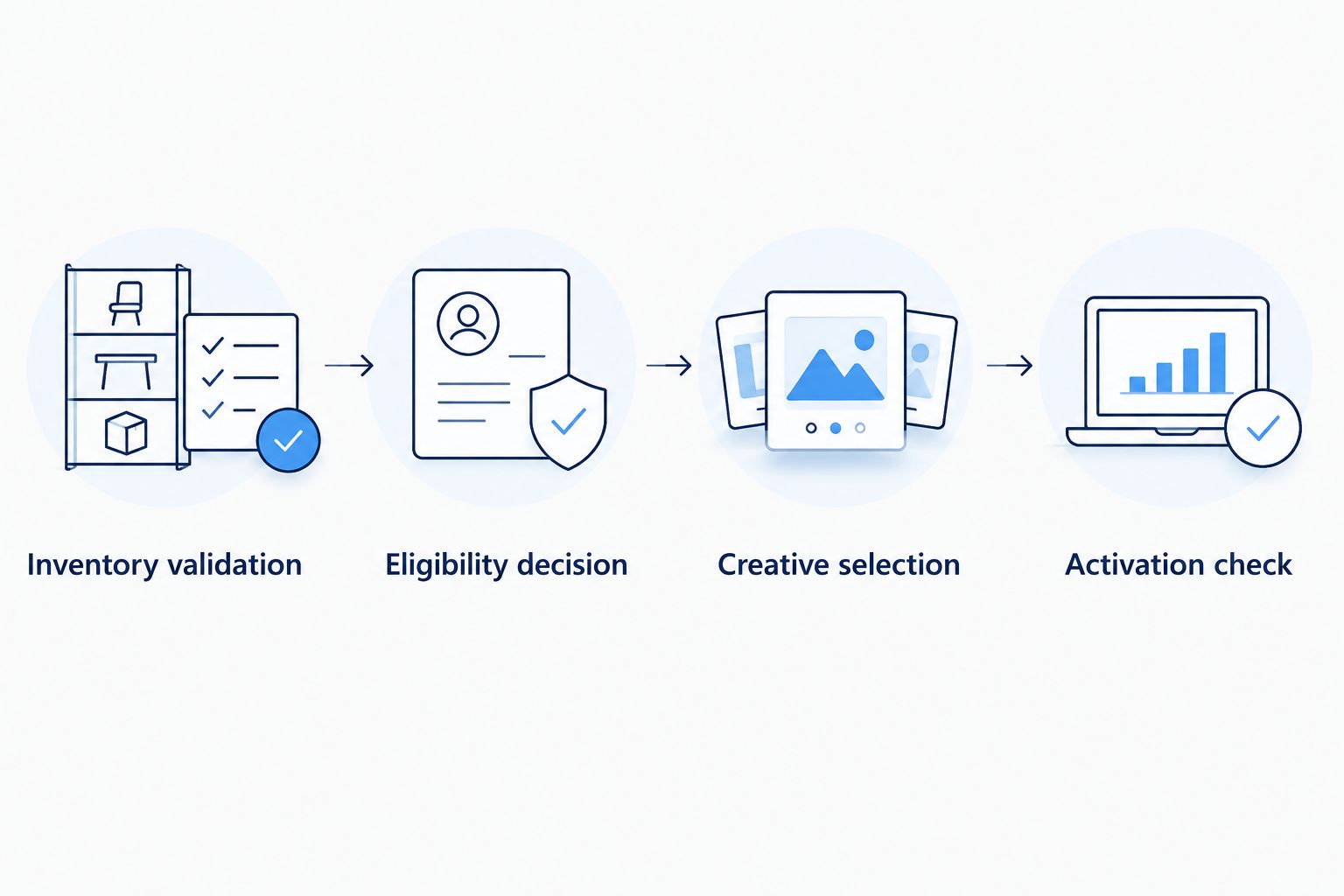
An accepted inventory update is only the start; verify the activation result separately.
Expected result: A valid update produces a recorded decision with a defined fallback. Repeated delivery of the same event does not produce repeated business actions.
This is where Cake.Shop's full-stack scope matters: buying and reporting, creative, and publisher supply belong in the same implementation discussion. Confirm the required hand-offs rather than assuming that modular components share every control automatically.
For your 2026 activation plan, specify which owner resolves a rejected asset, an unsupported update or a campaign that remains inactive. Automation needs an exception route, not just a success path.
Do not describe the workflow as instantaneous. Source updates, processing, creative review and downstream delivery are separate stages. Establish their actual behaviour during testing before making a timing commitment.
Expected result: Each decision maps to an approved, supported action. The log distinguishes what was requested, what the receiving system accepted and what was verified afterwards.
Your 2026 acceptance record should contain evidence, not just completed checkboxes: the input event, rule result, requested action and observed outcome. Define success before the live release so an ambiguous result cannot become an assumed pass.
Expected result: The workflow handles ordinary changes, duplicates, stale events and rejected actions without losing its decision history. Expand only after those checks pass.
Not every stock update should launch an ad. Decide whether inventory changes should alter product selection inside an existing creative setup or change campaign activation itself.
Feed-driven selection
Campaign activation
For feed-driven selection, keep the campaign structure stable and update the eligible product set through the supported feed interface. Test the rendered result, including the empty-set fallback. A successful feed upload is not proof that the intended product appeared.
For campaign activation, evaluate meaningful state changes rather than every quantity movement. A quantity update that leaves eligibility unchanged should not create another activation request.
Choose the simplest supported action that expresses the business rule. Feed-driven selection is unsuitable if the creative system cannot reliably exclude ineligible products. Campaign activation is unsuitable if the buying platform cannot expose the required control.
Check the join between product, fulfilment location and campaign market. Do not join on product identifier alone when sellable inventory differs by location. Reject ambiguous mappings until the owner resolves them.
Check duplicate-event handling and compare the requested state with the last confirmed state. Make retries safe: repeating an already completed request must not create a new assignment or another campaign change.
Inspect threshold crossings, event order and overlapping rule versions. Apply the approved recovery condition and prevent older records from reversing newer decisions. Do not hide the problem by disabling alerts.
Separate transport success from activation success. Inspect creative approval, campaign status, format compatibility and the receiving system's returned state. Cached rendering or delayed propagation also requires verification against the actual integration behaviour.
Check the source connection and the freshness rule. Apply the approved unknown-state fallback, then alert the owner. Do not allow a previously positive inventory record to remain authoritative indefinitely.
Expand the rule only after the basic inventory path works. Add market-specific eligibility, product-group fallbacks or placement-specific creative mappings as separate, testable changes. Keep each rule version traceable to its approval.
Use the programmatic advertising guide for retail brands to place inventory automation inside the wider buying plan. Inventory eligibility answers whether a product can be promoted; it does not decide audience strategy or prove campaign effectiveness.
For a Cake.Shop enquiry, bring the source system, sample record, intended creative format, required activation action and reporting requirements. Include direct publisher supply and DOOH requirements where relevant. A data clean room belongs in the design only when there is a separate governed data-collaboration requirement; an inventory trigger alone does not establish that need.
Discuss your inventory workflow
Bring your inventory source, creative formats and required activation actions.
What is a dynamic creative stock level trigger?
A dynamic creative stock level trigger turns a validated inventory change into a creative eligibility or activation decision. It requires an inventory source, decision rules and a supported interface to the receiving advertising system.
Does Cake.Shop have a native inventory trigger?
Confirm the required inventory connection and activation controls with Cake.Shop before implementation. This workflow specification does not establish a native connector or a named stock-trigger setting.
Should every stock change launch a new ad?
No. Trigger an action when the approved eligibility state changes, not whenever quantity changes. Updates that leave eligibility unchanged should not create repeated activation requests.
What happens when the inventory feed stops updating?
Apply the approved unknown-state fallback when the freshness limit is exceeded. Alert the inventory owner and stop treating the last positive record as current evidence.
Can inventory changes control DOOH creative?
Only when the chosen creative and delivery systems support the required update path. Confirm format approval, location mapping and downstream scheduling before enabling inventory-driven DOOH changes.
How do I verify that the creative actually changed?
Check the receiving system's state and inspect the rendered creative or delivery evidence where available. An accepted integration request proves receipt, not that the intended ad appeared.
Do I need a data clean room for an inventory trigger?
An inventory trigger alone does not require a data clean room. Assess one separately when the workflow includes governed collaboration or matching between data owners.
Test recovery as carefully as withdrawal. An automation that stops product promotion correctly but never restores it is still broken. Before expanding your 2026 workflow, prove that a fresh, eligible record can return the approved creative to its intended state without bypassing campaign controls.
Build a dynamic creative stock level trigger with validated inventory, approved assets and verified activation. Follow setup, testing and fallback guidance.
Read more →Google Ad Manager publisher supply integration needs a verified route. Map inventory, validate creative delivery and reconcile publisher and buyer reporting.
Read more →Set up a LiveRamp DSP integration with destination checks, audience mapping, suppression tests and reporting controls before activating first-party campaigns.
Read more →Book a 30-minute demo and see exactly how Cake.Shop works — no sales pitch, just the platform.