
OPEN DAILY
OPEN
HONEST
TRUST
LET'S CHAT


Instead of manually reconciling Google Ad Manager inventory, publisher agreements and buyer reports, build a Google Ad Manager publisher supply integration around a documented supply path and a shared reporting map. This 2026 workflow takes you from inventory selection to controlled activation without assuming that every platform has a native connector.
TL;DR
“Unified publisher supply” means organising publisher access, buying permissions and reporting into an operating model. It does not mean that every impression passes through the same auction or that Google Ad Manager automatically connects to every buying platform.
Cake.Shop serves brands and independent agencies building a modular programmatic advertising stack. Its media buying and reporting, rich media and DOOH creative, data clean rooms, and publisher supply belong in that wider stack discussion—not just a buying-tool shortlist. Start with Cake.Shop when defining which parts of that stack you need.
For this 2026 setup, separate the publisher’s delivery configuration from the buyer’s activation configuration. A publisher can expose inventory correctly while the buyer still lacks access, an approved creative or matching targeting.
Define the supply route before configuring the campaign. Otherwise, a working ad-server setup can still produce no eligible buying opportunity.
Use a restricted test scope. Choose inventory whose publisher, placement and format you can identify without exposing the entire network to an unverified configuration.
Start by documenting what is being connected. This workflow uses four configuration units: Inventory scope, Supply route, Delivery checks and Reporting map. Keep the same names in your implementation brief so technical and commercial owners discuss the same objects.
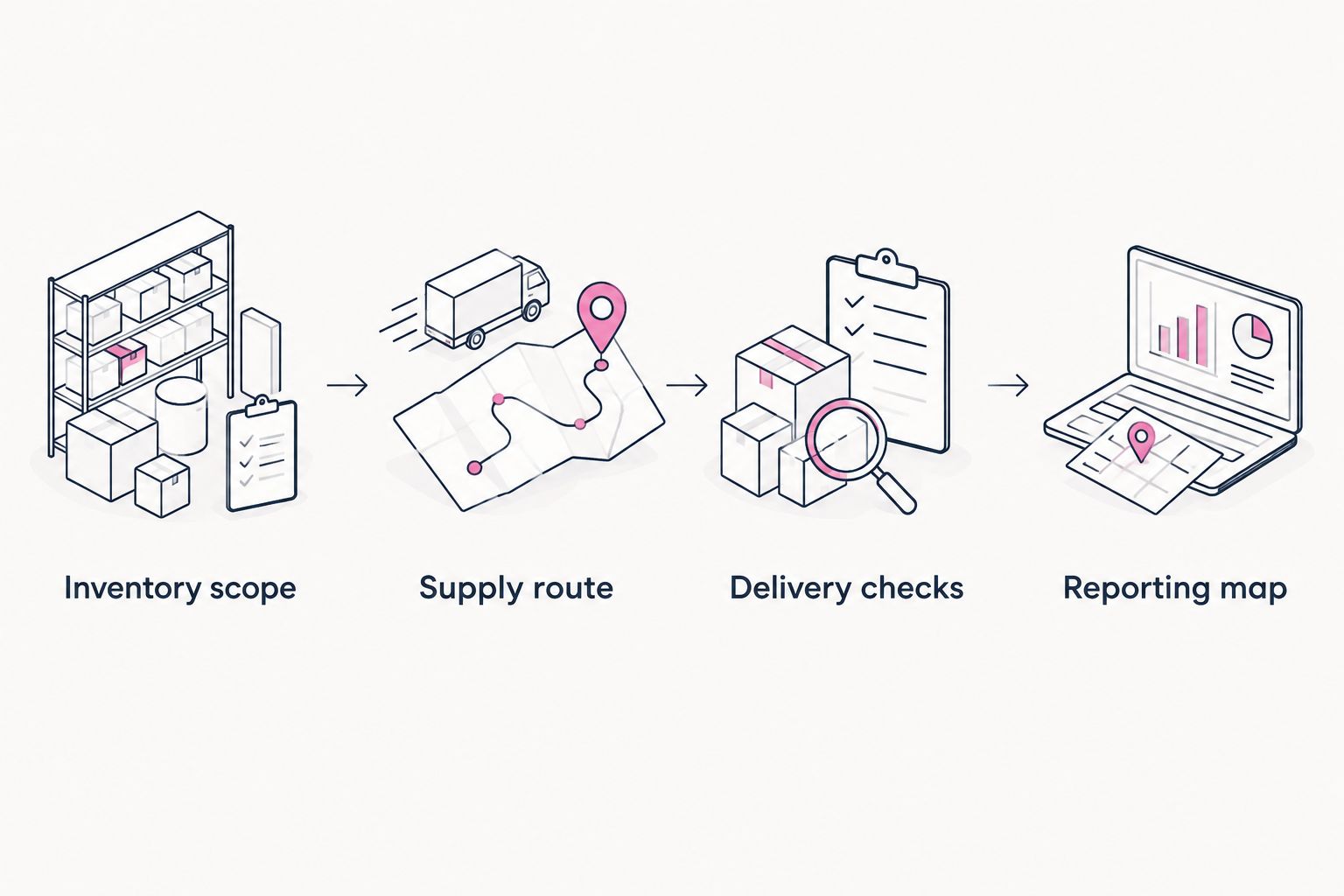
Define the inventory and route before testing delivery or reconciling reports.
Expected result: You can identify every test placement, its permitted format, its receiving identifier and the person authorised to approve changes.
For example, a brand bringing programmatic in-house needs to distinguish the publisher relationship from the campaign account. An independent agency needs the same separation across clients: an inventory mapping for one advertiser is not permission to activate it for another.
Keep the 2026 mapping document operational rather than decorative. If a field is required for activation or reconciliation, give it an owner; if nobody uses it, remove it.
Choose the actual connection mechanism before touching delivery settings. Google Ad Manager supports different demand arrangements, but their eligibility, auction behaviour and operational requirements are not interchangeable.
Open Bidding
Header bidding
Programmatic deal
Best for this workflow: the route your publisher and receiving platform explicitly support. Do not select a route because its name sounds more direct. If you are assessing the header-bidding approach, use the header bidding platforms guide to structure the platform discussion.
Expected result: Both organisations can name the same supply path and identify the objects that make it work.
Cake.Shop’s publisher supply, media buying and reporting are relevant to this operating model, alongside its creative and data modules. That full-stack scope does not establish a particular Google integration method. Confirm the proposed connection and reporting responsibilities during the technical enquiry.
A saved configuration is not an acceptance test. Validate the sequence from an eligible placement through creative rendering and into the reports used by the publisher and buyer.
Expected result: You can trace a test placement through the selected route, verify the creative and explain the corresponding publisher and buyer reporting records.
For your 2026 acceptance record, distinguish an ad request, a bid response, a rendered impression and a measured outcome. They represent different events. Treating them as synonyms creates reconciliation problems even when delivery is functioning correctly.
Preserve original identifiers in the reporting map. Human-readable campaign names help operators, but names change; removing source identifiers makes later investigation harder.
A second workflow starts when a publisher changes an existing placement. The task is change control, not a fresh integration.
Expected result: Existing reporting remains traceable while the changed placement passes the same acceptance checks as the original setup.
Manual updates offer explicit review but require someone to complete the process. Automated updates reduce repeated entry but need supported interfaces, validation and error handling. Automate only the objects that the participating platforms document; do not infer an API capability from a dashboard feature.
Check account permissions and the commercial access arrangement before changing targeting. Confirm the publisher identifier, buyer seat and deal identifier where applicable. Visibility problems cannot be fixed by attaching another creative to an unrelated line item.
Inspect eligibility in order: inventory targeting, schedule, geography, device, format and creative approval. For header bidding, also inspect bidder responses and the key-values expected by the ad-server configuration. Separate “no eligible bid” from “eligible bid did not win”.
Compare the accepted placement dimensions with the actual creative dimensions and execution environment. Check browser errors and required asset access. Restore the previously working configuration while the incompatible creative is corrected; do not expand a failing test.
Match time zones, date boundaries, filters and metric definitions first. Then investigate where each system counts the event, including whether the creative rendered. Do not force totals to match by deleting records or applying an unexplained adjustment.
Look for a transformation keyed only to a readable name. Restore the source identifier mapping and retain both the old and new labels with their effective dates. Re-run the affected reporting period without overwriting the original export.
Extend the integration by adding one operating requirement at a time: another publisher, another supported format or a clearer reporting hand-off. Keep the inventory map and acceptance criteria attached to each change.
Cake.Shop brings media buying and reporting, rich media and DOOH creative, data clean rooms, and publisher supply into the stack conversation. The advantage of a modular approach is choosing the components your operating model needs; the trade-off is defining ownership and hand-offs between those components.
For a useful 2026 agency or brand enquiry, bring the publisher list, current Google Ad Manager setup, intended formats and required reporting outputs. Ask which connections are supported, which approvals remain with the publisher and what evidence will demonstrate successful activation.
Discuss your publisher supply workflow
Bring your inventory map, proposed supply route and reporting requirements to the conversation.
What is Google Ad Manager publisher supply integration?
Google Ad Manager publisher supply integration connects defined publisher inventory to an authorised demand route and a reporting process. It requires compatible configuration on the publisher and receiving sides, not just account access.
Does Google Ad Manager automatically connect to every DSP?
No. Buyer access depends on the supported supply route, participating platforms and relevant permissions or agreements. Confirm the specific connection before configuring campaigns.
Does this workflow require a native Cake.Shop connector?
No. This workflow describes supply-path configuration and validation rather than a documented Cake.Shop connector. Confirm the supported technical route for the proposed publisher and buyer arrangement.
Is Open Bidding the same as header bidding?
No. Open Bidding is Google Ad Manager’s server-side bidding framework for eligible yield partners, while header bidding manages bidding outside the ad server. Their setup requirements and operational responsibilities differ.
Can I use one creative across display, video and DOOH?
Do not assume that one creative works across those environments. Validate the format, dimensions, execution requirements and publisher acceptance separately for each intended placement.
Why do publisher and buyer impression reports disagree?
Publisher and buyer reports can count different events or use different reporting settings. Align time zones, date boundaries, filters and metric definitions before investigating delivery-level differences.
What should I test before expanding publisher supply?
Test inventory eligibility, buyer access, creative rendering and report traceability. Expand only after the publisher and buyer can explain the selected supply path and its reporting evidence.
Test the rollback before expanding the rollout. A working integration is easier to manage when the publisher can restore the prior configuration and the buyer can identify exactly which inventory changed. Keep that restoration record beside the acceptance evidence, not in a separate conversation.
Build a dynamic creative stock level trigger with validated inventory, approved assets and verified activation. Follow setup, testing and fallback guidance.
Read more →Google Ad Manager publisher supply integration needs a verified route. Map inventory, validate creative delivery and reconcile publisher and buyer reporting.
Read more →Set up a LiveRamp DSP integration with destination checks, audience mapping, suppression tests and reporting controls before activating first-party campaigns.
Read more →Book a 30-minute demo and see exactly how Cake.Shop works — no sales pitch, just the platform.