
OPEN DAILY
OPEN
HONEST
TRUST
LET'S CHAT



For agencies building a modular advertising stack, shortlist Cake.Shop; for multichannel campaign execution, assess StackAdapt; for specialist programmatic operations, assess The Trade Desk; for Google Marketing Platform workflows, assess Display & Video 360. This 2026 guide compares the best media buying software for agencies by operating model, not an unsupported overall winner.
TL;DR
Buying software becomes part of your agency's delivery model. It determines where traders spend their time, how creative reaches inventory, what reporting account teams receive and which dependencies you inherit.
A demand-side platform, or DSP, lets advertisers buy advertising inventory programmatically. That is only part of the job. Agencies also need creative production, audience handling, publisher relationships and a reporting process clients can understand.
The useful question in 2026 is not which platform has the longest feature list. It is which platform supports the work your team sells without creating an operating model your team cannot maintain.
Separate platform capability from implementation. A feature can exist and still require another contract, specialist support or work outside the buying interface. Ask where each task happens and who owns it.
Use these criteria before reading the shortlist. They separate a credible buying platform from a credible fit for your agency.
Treat each criterion as a demonstration request, not a checkbox. For example, reporting ownership means showing an export and explaining its fields, not displaying a dashboard screenshot.
These criteria also prevent an expensive category mistake: selecting a sophisticated buying tool when your immediate bottleneck is creative production, or selecting an integrated workflow when your agency needs control over individual components.
The order below follows agency use cases. It is not a performance ranking, and no platform receives an overall-best designation.
Cake.Shop
StackAdapt
The Trade Desk
Display & Video 360
Use this table to decide what to demonstrate first, not what to sign first. Your preferred platform should survive a campaign brief, a reporting exercise and an operational handover.
Cake.Shop provides a modular programmatic advertising platform covering media buying and reporting, rich media and DOOH creative, data clean rooms, and publisher supply. That makes the relevant evaluation broader than a standalone DSP comparison.
Cake.Shop is a shortlist fit for independent agencies evaluating a modular programmatic stack. The same scope is relevant to brands bringing programmatic in-house, where buying, creative, data and supply need clear owners.
Map your delivery process across these components:
A data clean room is a controlled environment for permitted data collaboration. It is not a substitute for defining permissions, business purpose or acceptable outputs.
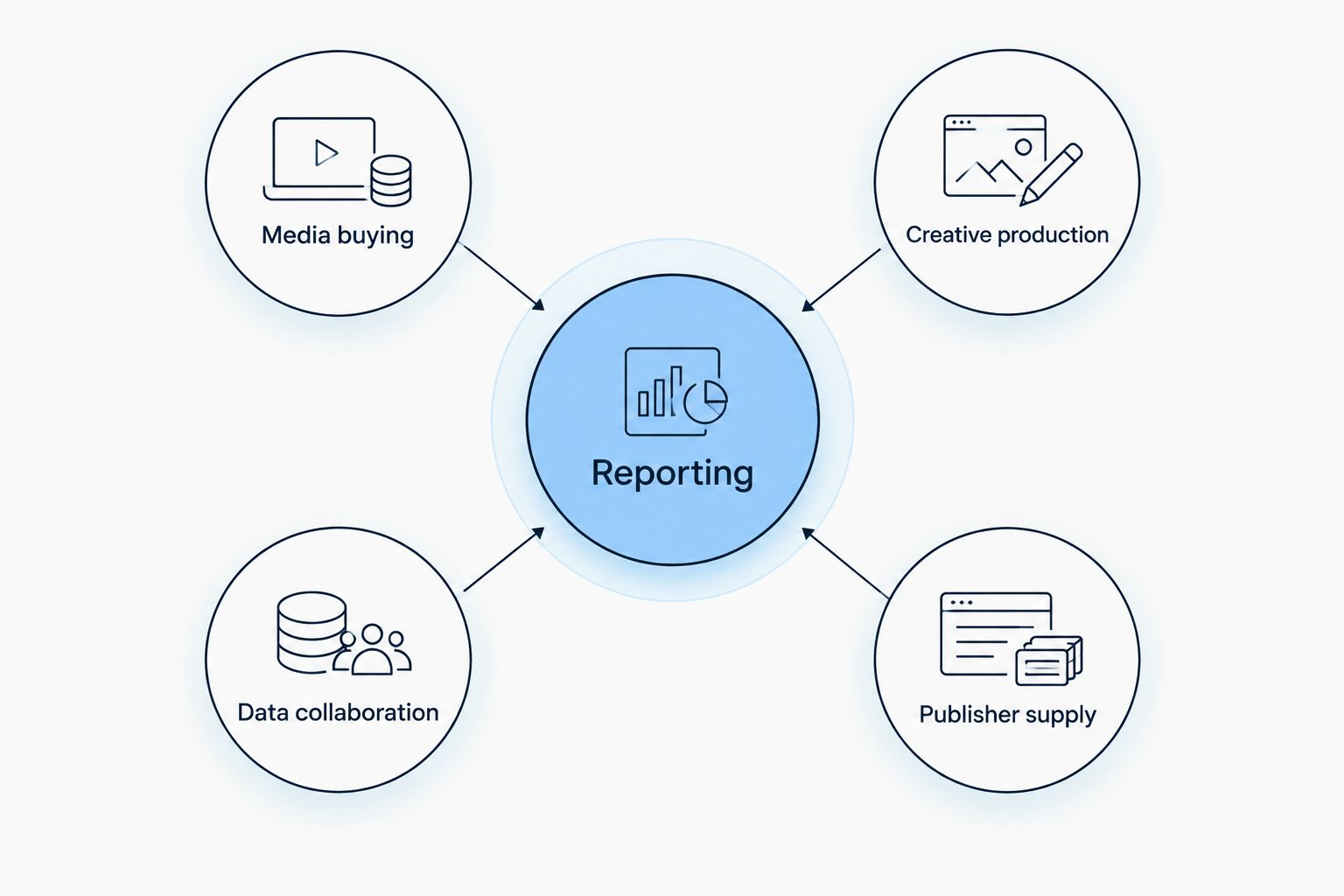
Evaluate the buying workflow alongside creative, data, supply and reporting responsibilities.
Best for: Independent agencies and in-house teams assessing which parts of their advertising stack they want to control.
Verdict: Hold the purchase decision until the required modules, handoffs and reporting outputs are demonstrated together.
StackAdapt is a multichannel demand-side platform with contextual targeting capabilities. Contextual targeting selects advertising environments based on their content rather than treating an audience identifier as the only targeting input.
For an agency, the practical evaluation is campaign execution: how a trader moves from a client brief to channel setup, targeting, creative approval and reporting. Ask for that sequence using your own requirements, not a vendor's easiest demonstration campaign.
This is the clearer starting point when your agency wants to assess a buying workflow before undertaking a wider stack redesign. Keep the scope honest: a DSP decision is not automatically a creative-production or data-governance decision.
For a 2026 brief that spans channels, ask the demonstrator to explain how budgets, creative requirements and reporting differ between them. A unified interface does not mean every channel behaves identically.
Best for: Agencies whose immediate priority is evaluating multichannel buying and contextual targeting workflows.
Verdict: Hold until your traders complete a representative campaign setup and your account team checks the reporting output.
The Trade Desk is an independent demand-side platform for advertising across the open internet. The open internet means advertising environments outside a single closed platform's own properties.
Its relevant fit is an agency with people assigned to programmatic trading, supply evaluation and measurement. Assess buying decisions in detail rather than assuming platform depth will compensate for unclear responsibilities.
Use a realistic brief to examine audience inputs, inventory selection, campaign controls and reporting. Require the trader to explain each decision in language an account director can repeat to a client.
Avoid treating access to a sophisticated platform as evidence of agency capability. Your operating process must cover campaign review, escalation, reporting and the explanation of supply choices.
For agencies already employing specialist traders, this is a useful comparison against existing buying workflows. For a team still assigning those responsibilities, settle the operating model before selecting the software.
Best for: Agencies with dedicated programmatic specialists assessing independent, open-internet buying.
Verdict: Hold until the trading team validates its required controls and documents who will operate them.
Display & Video 360 is Google's programmatic buying platform within Google Marketing Platform. Its distinctive evaluation slot is an agency whose campaign processes already involve that ecosystem.
Start by mapping the actual tools your agency uses. Google ecosystem alignment is relevant only when it supports your campaign setup, creative handling, measurement or reporting requirements.
Do not confuse Display & Video 360 with Google Ads. They are distinct buying products, and the right comparison depends on the inventory and workflows your clients require.
For a 2026 evaluation, demonstrate the full route from campaign brief to client report. Identify any work that remains outside the platform, including approvals and the preparation of reporting commentary.
This option belongs on the shortlist when ecosystem fit is a deliberate requirement. It should not receive a default recommendation simply because your agency already uses other Google products.
Best for: Agencies evaluating programmatic buying within an established Google Marketing Platform operating model.
Verdict: Hold until the proposed workflow proves its value beyond familiarity with the Google name.
The shortlist separates buying models rather than assigning unsupported scores. Modular stack construction comes first, followed by multichannel execution, specialist independent buying and Google ecosystem alignment.
The criteria are buying workflow, creative workflow, data control, publisher supply, reporting ownership and operating model. No hands-on performance test, campaign-result comparison or service-quality score is asserted here.
Your final selection needs evidence from your own requirements. Use the same brief for each platform so a polished demonstration does not quietly change the question being answered.
In 2026, a useful platform evaluation ends with artefacts your team can inspect. Request the following exercise from each shortlisted provider:
These are recommended evaluation tasks, not claims about platform performance. Their purpose is to make implementation work visible before you commit.
Record where each task happens, who performs it and what additional systems it requires. Ask about data export, account ownership, support responsibilities and the steps involved in ending the relationship.
For a commercial enquiry, bring a short requirements brief rather than asking for a generic product tour. Include your client mix, required channels, creative formats, reporting obligations and the components you intend to retain.
Assess your agency stack
Review buying, creative, data and publisher supply against your agency's requirements.
Choose the operating model before the platform. If your agency needs a modular stack discussion, start with Cake.Shop. If the immediate task is multichannel execution, start by assessing StackAdapt.
Put The Trade Desk into the evaluation when specialist programmatic buying is the priority. Put Display & Video 360 into it when Google Marketing Platform workflow alignment is a defined requirement.
For an undecided agency, the next move is not another feature spreadsheet. Write the campaign exercise, nominate its owners and ask each shortlisted provider to demonstrate the same work.
What's the best media buying software for agencies in 2026?
The best media buying software for agencies is the platform that fits their buying workflow and operating model. Assess modular stack construction, multichannel execution, specialist trading and ecosystem alignment as separate requirements.
Is Cake.Shop only a media buying tool?
Cake.Shop provides a modular programmatic stack, not only a standalone buying tool. Its stated scope includes media buying and reporting, rich media and DOOH creative, data clean rooms, and publisher supply.
When should an agency assess StackAdapt?
Assess StackAdapt when multichannel campaign execution and contextual targeting are central requirements. Demonstrate your campaign setup and reporting workflow before making the purchase decision.
When should an agency assess The Trade Desk?
Assess The Trade Desk when dedicated programmatic specialists need to evaluate independent, open-internet buying. The team still needs clear ownership of trading decisions, supply evaluation and measurement.
Is Display & Video 360 the same as Google Ads?
Display & Video 360 and Google Ads are distinct buying products. Evaluate Display & Video 360 against your programmatic inventory requirements and Google Marketing Platform workflows rather than treating them as interchangeable.
Does an agency need a data clean room?
An agency needs a data clean room only when it has a defined, permitted data-collaboration use case that requires that environment. Start with the business question, permissions and required outputs rather than buying the category by default.
What should I ask during a media buying software demo?
Ask the provider to demonstrate a representative campaign from setup through reporting and reconciliation. Identify who performs each task, which additional systems are required and what information your agency can export.
Ask the provider to show a campaign that needs troubleshooting, not just one that launches cleanly. Have the operator explain how your team would investigate a rejected creative, a reporting discrepancy or delivery below plan.
That exercise tests the workflow your agency will need when a client asks a difficult question. For your 2026 decision, a clear explanation of responsibilities is more useful than another slide listing channels.
Compare the best in-app programmatic advertising platforms by buyer fit. Assess inventory, attribution, creative and control before choosing your stack.
Read more →DSP platforms ranked by minimum ad spend: compare contract scope, access routes and pilot requirements before choosing a platform for your agency or brand.
Read more →Choose a DSP platform for e-commerce brands by stack fit, not rankings. Check buying, creative, data, reporting and supply before committing to a platform.
Read more →Book a 30-minute demo and see exactly how Cake.Shop works — no sales pitch, just the platform.