
OPEN DAILY
OPEN
HONEST
TRUST
LET'S CHAT



Instead of manually exporting Salesforce contacts for every campaign, set up a Salesforce CRM programmatic advertising integration that sends eligible audience changes to your activation destination and removes people when they no longer qualify. Start with a controlled export, validate identity matching and exclusions, then automate the same rules through a supported connection.
TL;DR
A CRM record is not an advertising audience. Salesforce stores business relationships; a demand-side platform, or DSP, buys advertising against identities it can recognise. Your integration must translate between those systems without losing permission rules or customer status.
A successful connection moves membership changes, not just contact details. Adding qualified prospects while leaving converted customers in acquisition campaigns produces the wrong audience, even when every transfer succeeds.
Cake.Shop brings media buying and reporting, rich media and DOOH creative, data clean rooms, and publisher supply into a modular programmatic advertising stack. Treat the Salesforce connection as one part of that stack: audience logic informs buying, creative delivers the message, and reporting checks what happened.
For your 2026 implementation, define the business decision before selecting the connection. Customer suppression, prospect activation and closed-sale measurement need different rules. Combining them into one undifferentiated contact feed makes those rules harder to inspect.
Do not treat an email marketing preference as permission for advertising activation. Salesforce's Email Opt Out field has a specific purpose; your advertising eligibility rule must reflect the applicable permissions and your organisation's approved use of customer data.
Choose the route by its membership controls, not by how quickly you can upload a file. The comparison below describes implementation approaches, not guaranteed features of any particular platform.
Controlled CSV export
Supported connector
API pipeline
Use a controlled CSV export to prove the rules, then automate the proven workflow. The export is a validation method, not a recommendation to run an ongoing acquisition programme from unattended spreadsheets.
A clean room is a separate architectural decision. It supports controlled data collaboration; it does not automatically make every CRM record addressable or establish permission to use it. Specify the permitted analysis and activation outputs before adding that component.
Expected result: the report contains only records that satisfy the written audience definition, with enough information to match and maintain membership.
Before approving the source, inspect 3 test cases: a qualifying record, an excluded record and a record whose lifecycle status changed. These are deliberate test cases, not a performance benchmark. Each should behave exactly as the written rule requires.
Keep a dated audience specification for 2026. Record the rule owner, source fields and exclusion logic so a later Salesforce change does not silently alter who receives advertising.
Expected result: the destination accepts the schema, rejects no unexplained records and gives you enough feedback to investigate processing failures.
Hashing is not a permission switch. A hashed identifier can still support person-level matching, so access controls, approved purposes and retention rules still matter.
Separate 2 totals during validation: records accepted by the destination and records matched for activation. Acceptance means the transfer passed processing checks; matching means the destination could associate identifiers with its addressable identities. Neither establishes advertising effectiveness.
Expected result: campaign settings reflect the audience's business purpose, exclusions are visible, and reporting distinguishes media activity from Salesforce outcomes.
Cake.Shop's programmatic advertising stack includes media buying and reporting, rich media and DOOH creative, and publisher supply. That makes the implementation discussion broader than a contact upload: ask how the selected audience route connects to those components, without assuming a native Salesforce connector or a particular attribution method.
For a 2026 campaign brief, map the audience to the message and buying context. Do not assume a person-level CRM audience transfers unchanged into DOOH, where the buying context differs from addressable online advertising.
LastModifiedDate and SystemModstamp; choose the appropriate change-tracking method for the objects and integration design.Expected result: the live destination audience follows the approved source rules, including departures, and failed updates trigger an actionable alert.
For your 2026 operating plan, agree a refresh schedule and a maximum acceptable audience age with campaign owners. Set those values around the actual business need and supported processing behaviour, not an assumed real-time connection.
The workflow has four distinct responsibilities: Eligibility, Identity matching, Campaign activation and Membership updates. Keep them visible so a successful transfer cannot conceal a failed exclusion rule.
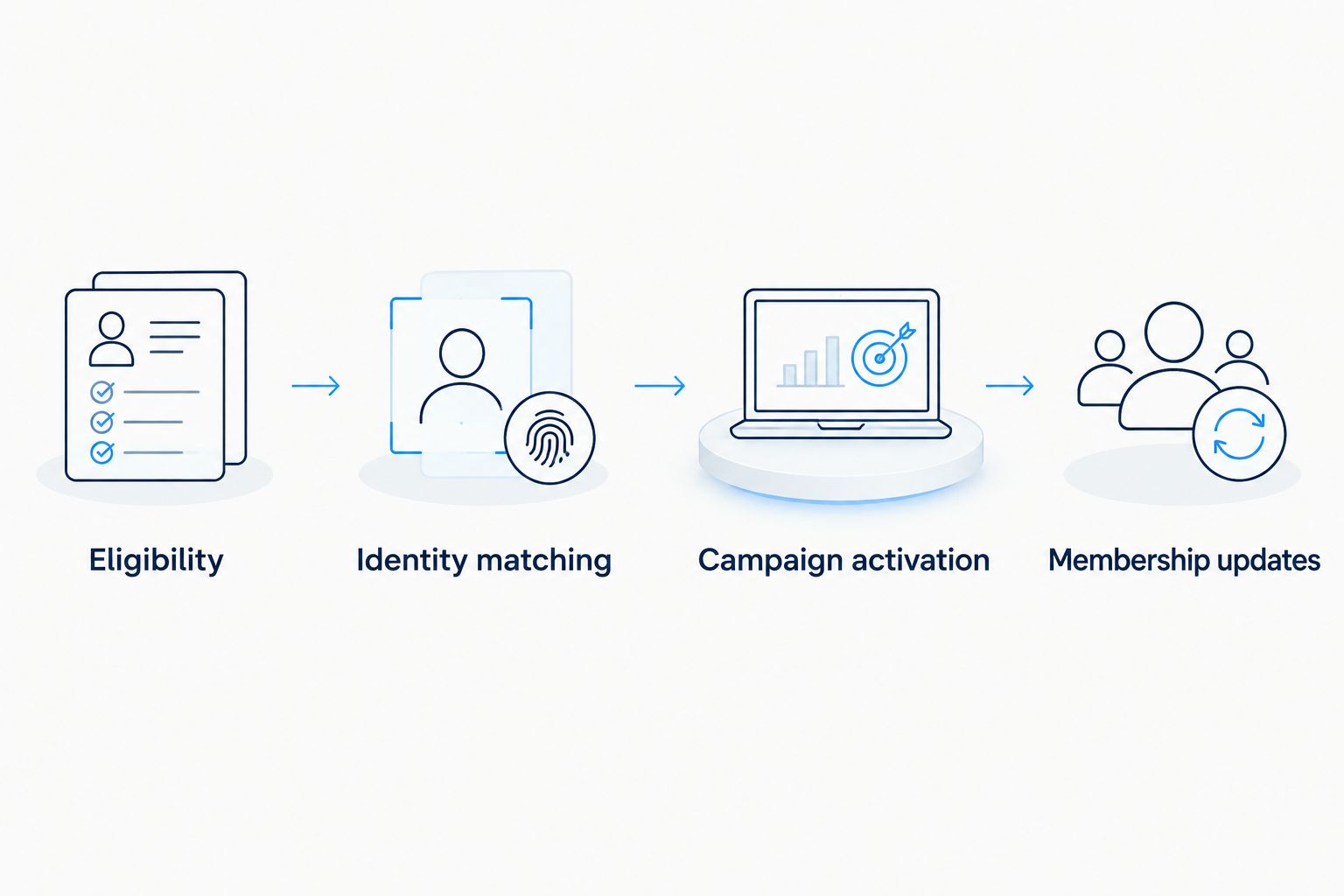
Successful data transfer is only one part of a working audience workflow.
Customer suppression is the adjacent workflow to prospect activation. Instead of asking who qualifies for acquisition messaging, ask who must stop receiving it after becoming a customer.
Expected result: a customer-status change produces the intended acquisition exclusion and a traceable membership update.
Keep sales measurement separate. A closed opportunity can support a business-outcome report, but importing that event does not prove the campaign caused the sale. Document attribution rules and distinguish attributed outcomes from incremental effects.
Expand one controlled audience at a time. Add lifecycle-specific creative, a different publisher strategy or another approved audience purpose only after the original workflow handles updates and removals correctly.
Cake.Shop's modular approach is relevant when brands and independent agencies want to discuss buying, creative, data collaboration and supply together. The implementation trade-off is coordination: modular components still need agreed identifiers, access boundaries and reporting definitions. Ask for a documented Salesforce-to-destination design, not a generic integration promise.
For a 2026 implementation enquiry, bring the source-object list, eligibility rules, intended channels, destination requirements and reporting questions. That makes the conversation technical and commercially useful without transferring customer data before the route is approved.
How do I connect Salesforce CRM data to programmatic advertising?
Define an eligible Salesforce audience, prepare the destination's accepted identifiers and transfer membership through a supported upload, connector or API. Validate exclusions and removals before automating campaign activation.
Do I need Salesforce Data Cloud for this integration?
Salesforce Data Cloud is not a prerequisite for every CRM-to-programmatic workflow. Choose the architecture from your source objects, activation destination and governance requirements rather than assuming one mandatory route.
Can I upload Salesforce email addresses directly to a DSP?
Only use the identifiers and transfer method the destination accepts, with an approved basis for advertising use. Confirm whether normalisation or hashing happens before transfer or inside the receiving workflow.
Does hashing customer data make it anonymous?
Hashing does not automatically make customer identifiers anonymous. Matching systems can still use hashed identifiers to recognise people, so purpose restrictions and access controls remain necessary.
How do I stop advertising to customers after they convert?
Update a customer-suppression audience when the approved Salesforce customer-status rule becomes true. Check campaign exclusions and destination removal behaviour; an updated source report alone is not enough.
Can Cake.Shop support a wider stack discussion?
Cake.Shop provides modular programmatic technology covering media buying, creative, data clean rooms and publisher supply. Ask for the specific Salesforce connection design and supported audience operations as part of that stack discussion.
How do I measure sales from Salesforce-linked campaigns?
Define the sales event, matching method and attribution rules before joining advertising activity to Salesforce outcomes. Report attributed sales separately from evidence that advertising caused additional sales.
Test a removal before you test scale. Add an approved test record, confirm its intended audience membership, then change its eligibility and verify that it leaves the destination audience. A connection that cannot complete that round trip is not ready for ongoing customer activation.
Salesforce CRM programmatic advertising integration needs tested audience rules. Connect data, validate matching and automate exclusions before campaigns launch.
Read more →Snowflake data clean room integration needs approved outputs before activation. Follow source, matching, transfer and refresh checks for an agency-ready workflow.
Read more →Choose a data clean room for media agencies by workflow, not hype. Define permissions, test matching and connect approved findings to buying and reporting.
Read more →Book a 30-minute demo and see exactly how Cake.Shop works — no sales pitch, just the platform.